@mentions and collaborators
Map a keyword to each person’s handles once. Type @keyword in a caption and every platform gets the right handle.
Mention mappings
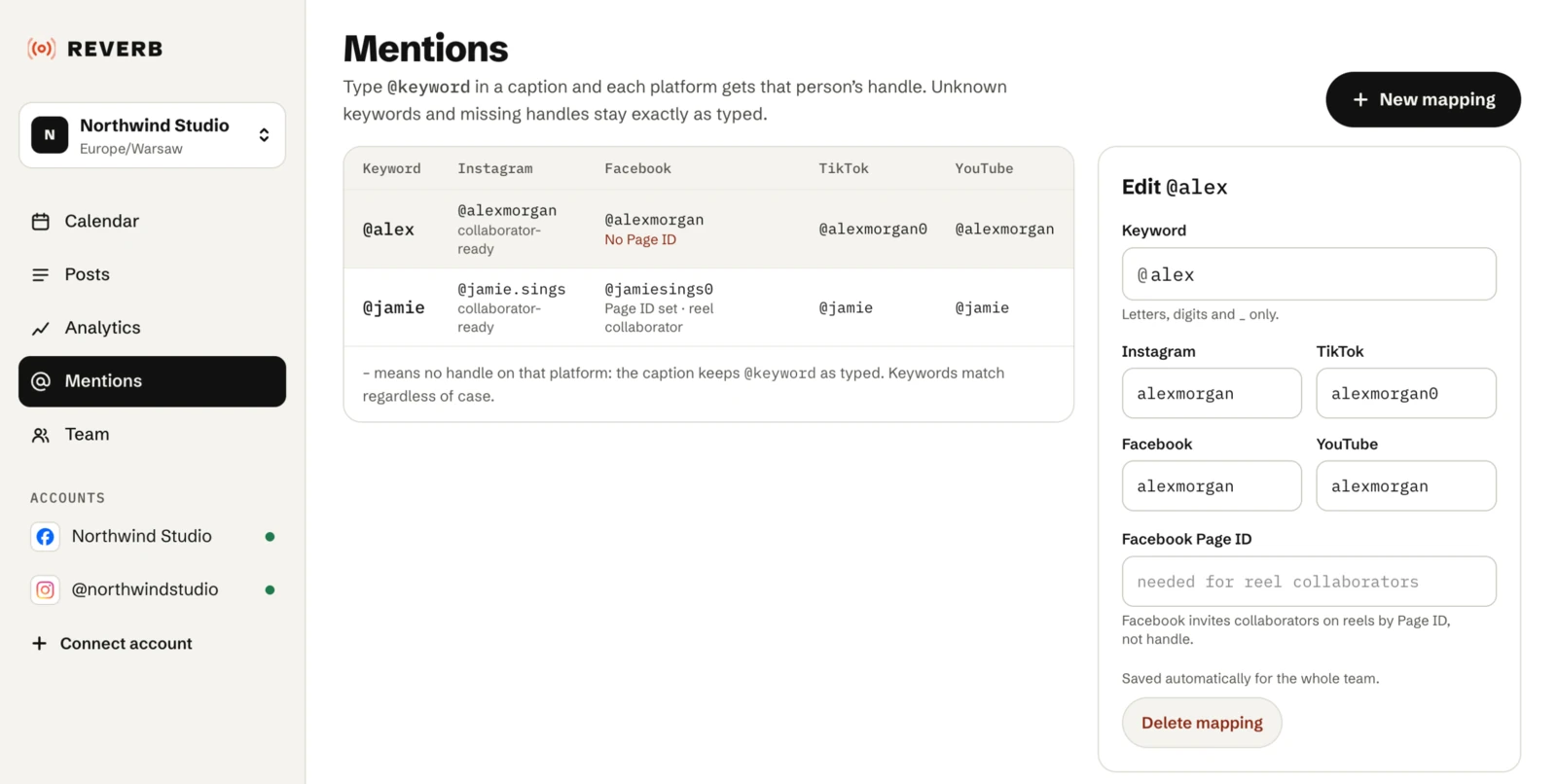
The same person often has a different handle on every platform. On the Mentions page, map a keyword to each platform’s handle once. Typing @keyword in a caption then becomes the right handle on every platform. Mappings belong to the team, so everyone on it can use them.
For example, map guest to their Instagram and Facebook handles. A caption with @guest gets the Instagram handle on Instagram and the Facebook one on Facebook.
How keywords are matched
- A keyword is
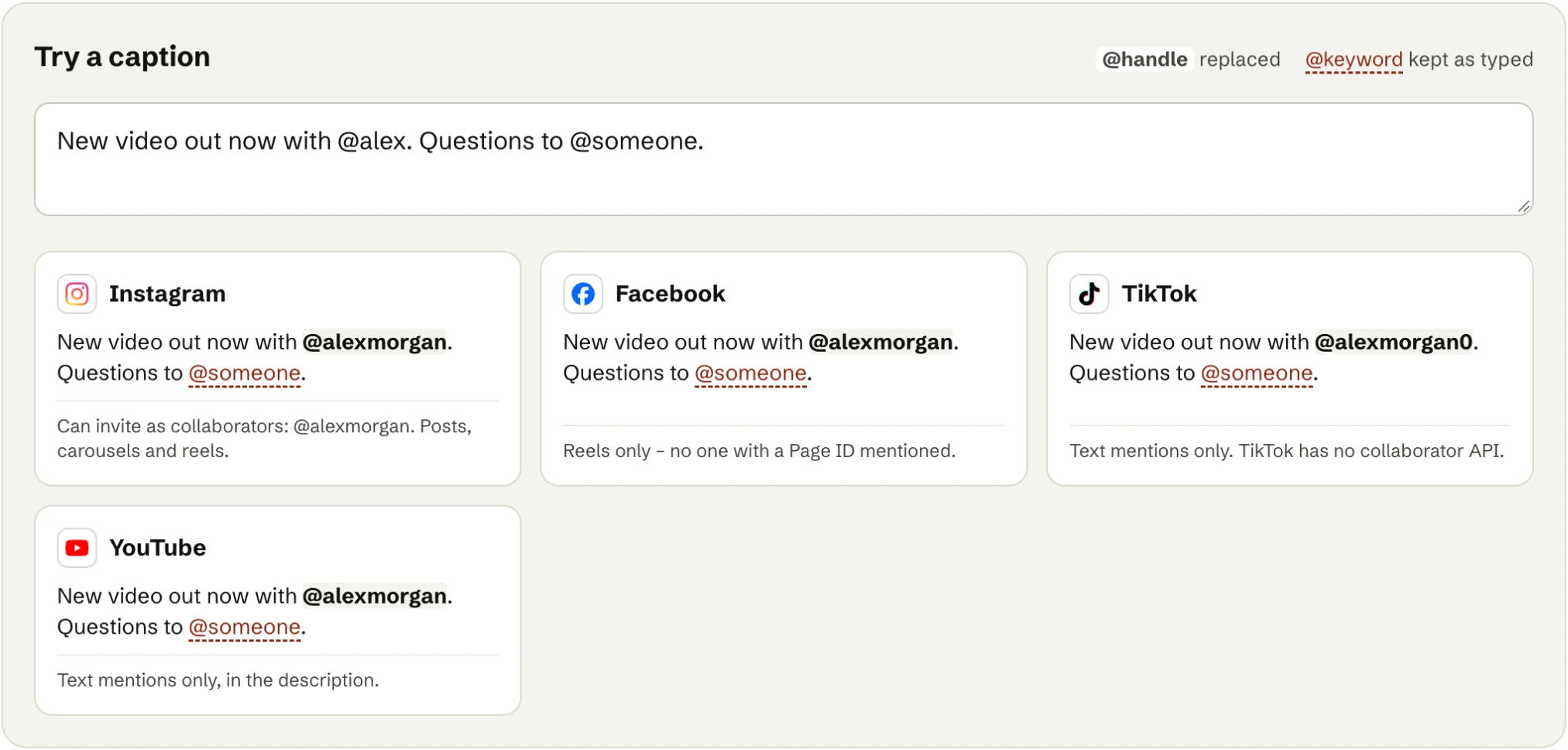
@followed by letters, digits or underscores. - Case doesn’t matter:
@Guestand@guestare the same. - An
@right after a letter, digit, underscore or dot isn’t a mention, so email addresses stay as they are. - A keyword with no mapping, or no handle for that platform, stays as you typed it.
- The Mentions page has a box where you can try a caption before you use it.
Collaborators
Some platforms let you invite people you mention as collaborators, so the post shows on their profile too. The editor offers it where the platform allows it.
- Instagram: up to 3 collaborators per post, on photo posts, carousels and reels. They must accept the invitation in the app.
- Facebook: collaborators on Reels only. Facebook invites them by Page ID, so add the person’s Facebook Page ID to their mapping. They must accept too.
- TikTok and YouTube: no collaborators, text mentions only.