The editor and previews
One editor for every platform, with a check of your media and a preview of the exact text each account will get.
Media
A post has one video or several photos, not both. As you add files, the editor checks them against each picked platform’s limits (size, length, shape) and tells you what the post becomes there, so problems show up before you schedule, not when the post goes out. See Media requirements.
You can add alt text to each photo, a description for people who can’t see it, up to 1,000 characters. It goes to Instagram and Facebook.
Caption
- One caption goes to every platform you pick.
- To write a different one for a platform, click its name under Different caption for. It starts as a copy of the main caption; from then on, editing the main caption no longer changes it. Use the main caption drops it again.
- Instagram captions can be up to 2,200 characters. Facebook has no practical limit.
- Type
@keywordto mention someone; each platform gets their handle there. See @mentions and collaborators.
First comment
- Optional text, e.g. hashtags, that REVERB posts as a comment under the post as soon as it’s out on Instagram, Facebook and YouTube.
@keywordmentions work there too. - TikTok doesn’t allow comments through its API, so it gets none.
- If the comment can’t be posted, the post still counts as published; the post’s details say why. Accounts connected before this feature need connecting again to allow comments.
Previews
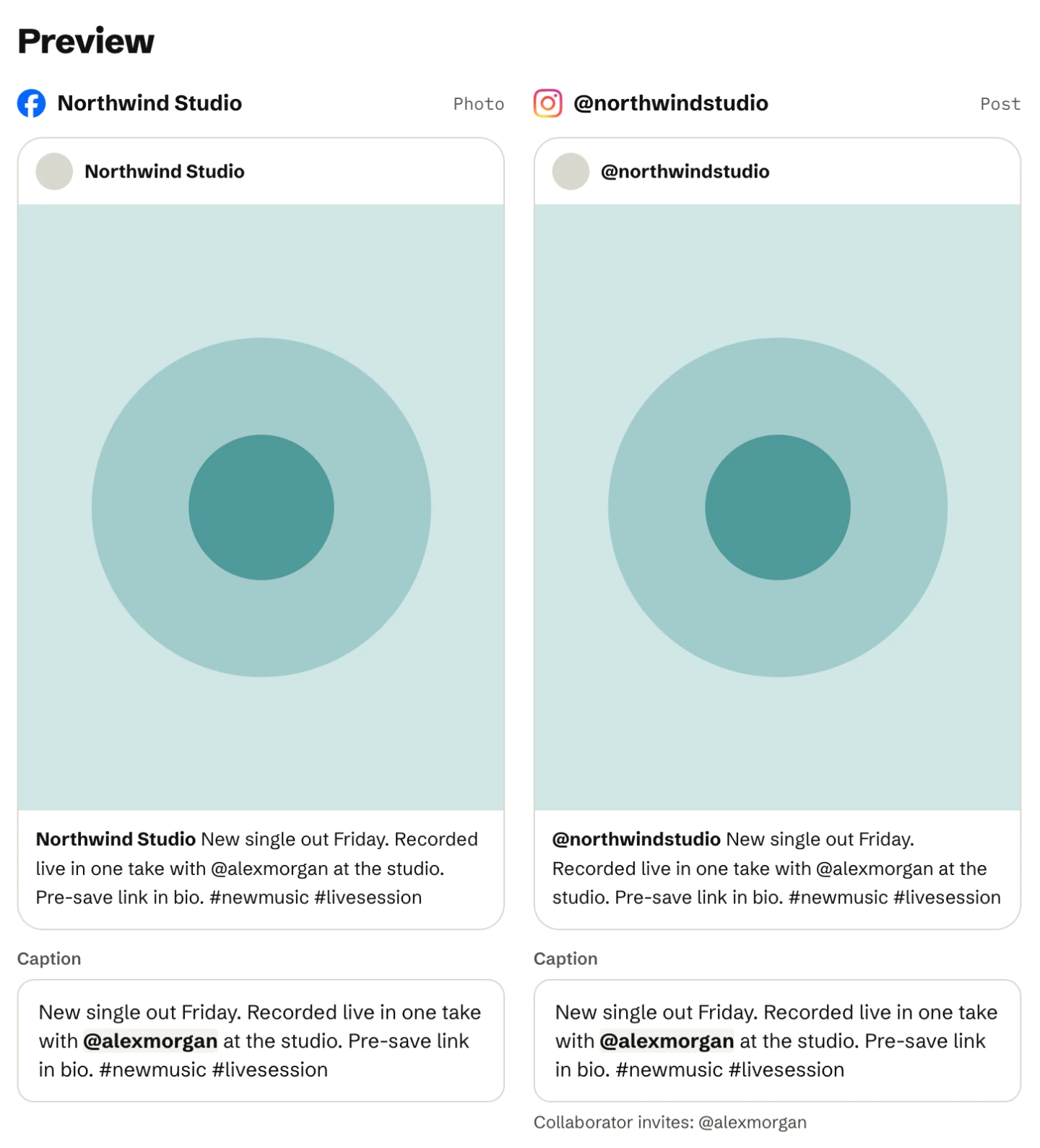
The preview shows each picked account with the exact text it will receive, after @mentions are replaced, next to your media. Check it before you publish: what you see is what goes out.
Per-platform settings
- Instagram and Facebook: invite collaborators from the people you mention, where the platform allows it.
- TikTok: who can view the post, whether people can comment, duet or stitch, and commercial content disclosure. See TikTok.
- YouTube: a title and the visibility. The caption becomes the description. See YouTube.
When to publish
Pick Schedule and a date and time in the team’s timezone, or one of the suggested times. Or pick Publish now to send it right away. Save draft keeps the post without a date.