Create your team
Everything in REVERB belongs to a team. Create one, set its timezone, then invite the people you post with.
Getting in
REVERB is invite only for now. Ask someone on a team to invite you, then open the link in the email and sign up with the address it was sent to, with a password or with Google. See Inviting people.
Creating a team
If you’re not on a team yet, REVERB asks you to pick or create one after you sign in. To add another team later, open the team menu in the sidebar and choose Create a team.
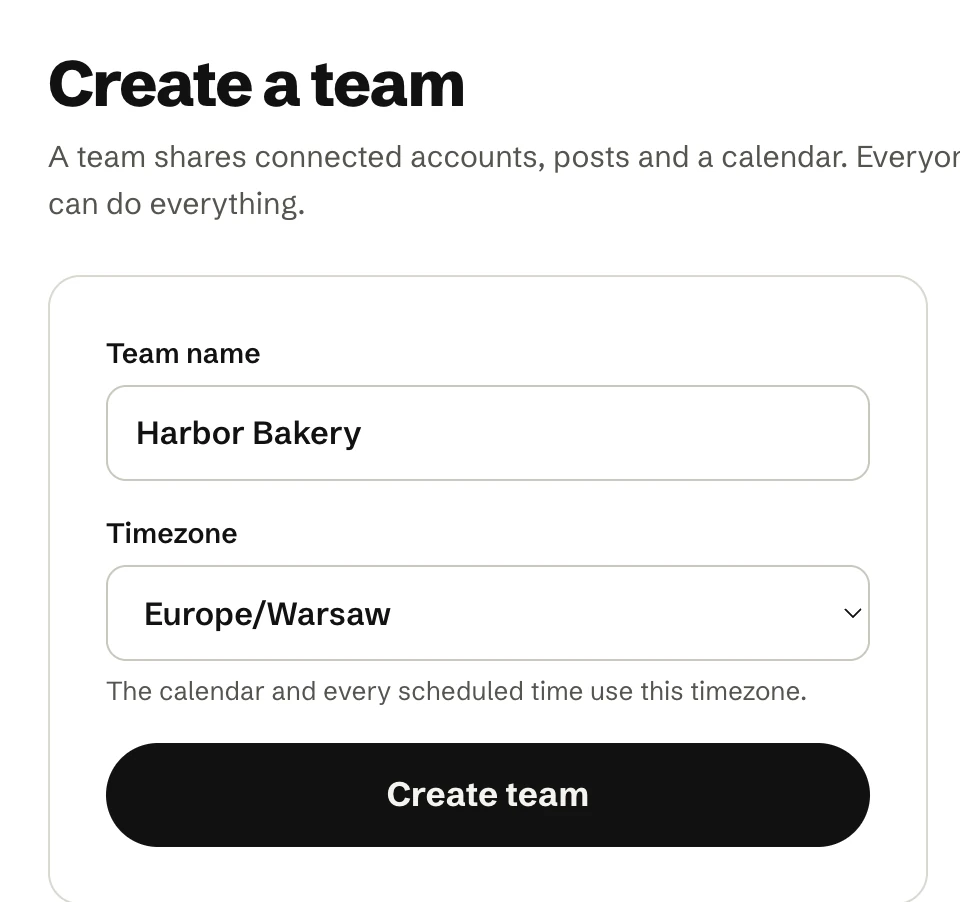
- Give the team a name, for example your brand or project.
- Pick its timezone. It starts as your browser’s timezone. The calendar and every scheduled time use it.
- Click Create team. You land on the calendar.
You can rename the team and change its timezone later, on the Team page. See Timezone and team settings.
What belongs to a team
- Connected accounts, which everyone on the team can post to.
- Posts, drafts and the calendar.
- @mention mappings.
- The timezone and the weekly posting target.
Everyone on a team has the same permissions; there are no roles. Next, connect the accounts the team posts to.